Smart Lists
Smart Lists automatically segment your fans based on clear signals like total spend, tips, PPV purchases, and recent replies. Instead of manually sorting fans or guessing who to target, Smart Lists keep themselves up to date so your most valuable segments are always ready to use.
Written By Chatseeker
Last updated 6 months ago
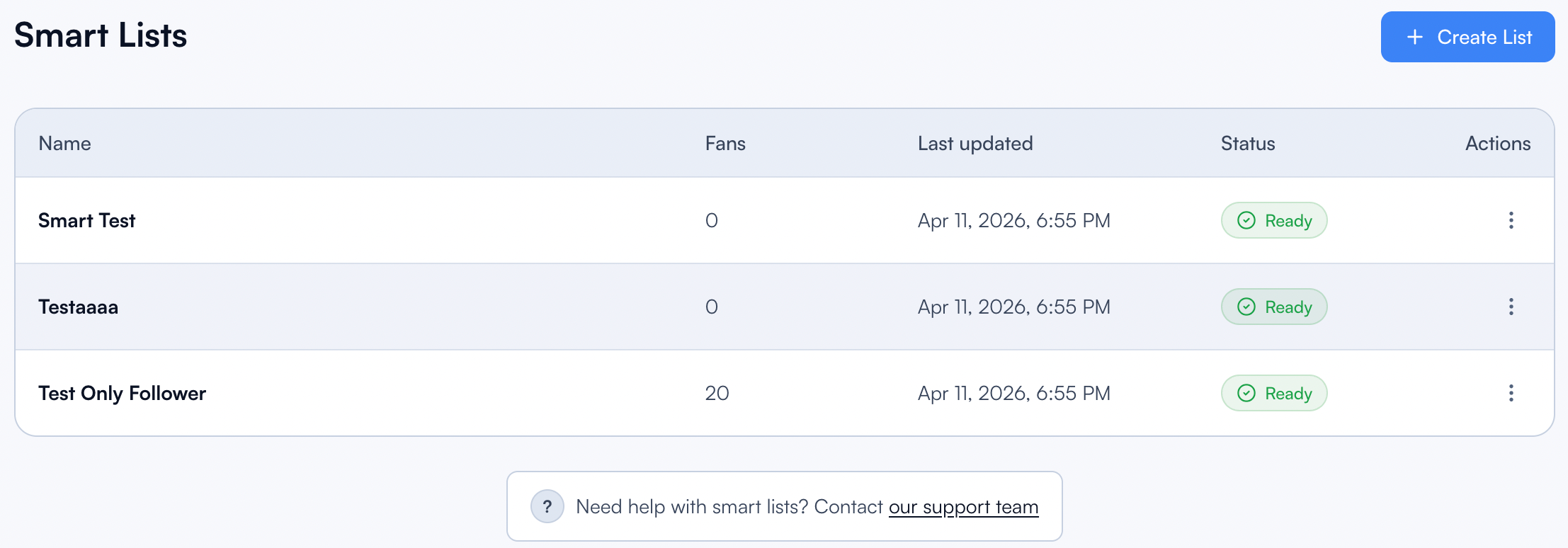
Use them to build precise audiences for Mass Messages, campaigns, and workflows. Target your top spenders with premium content, re-engage fans who haven't replied in a while, or build a list of consistent PPV buyers, all without any manual upkeep.
Creating a Smart List
Open Smart Lists.
Click Create List.
Under Basics, configure:
List name (cannot be changed after creation, so choose carefully)
Include followers
Include subscribers
Under Thresholds, set the criteria (all optional, combine as needed):
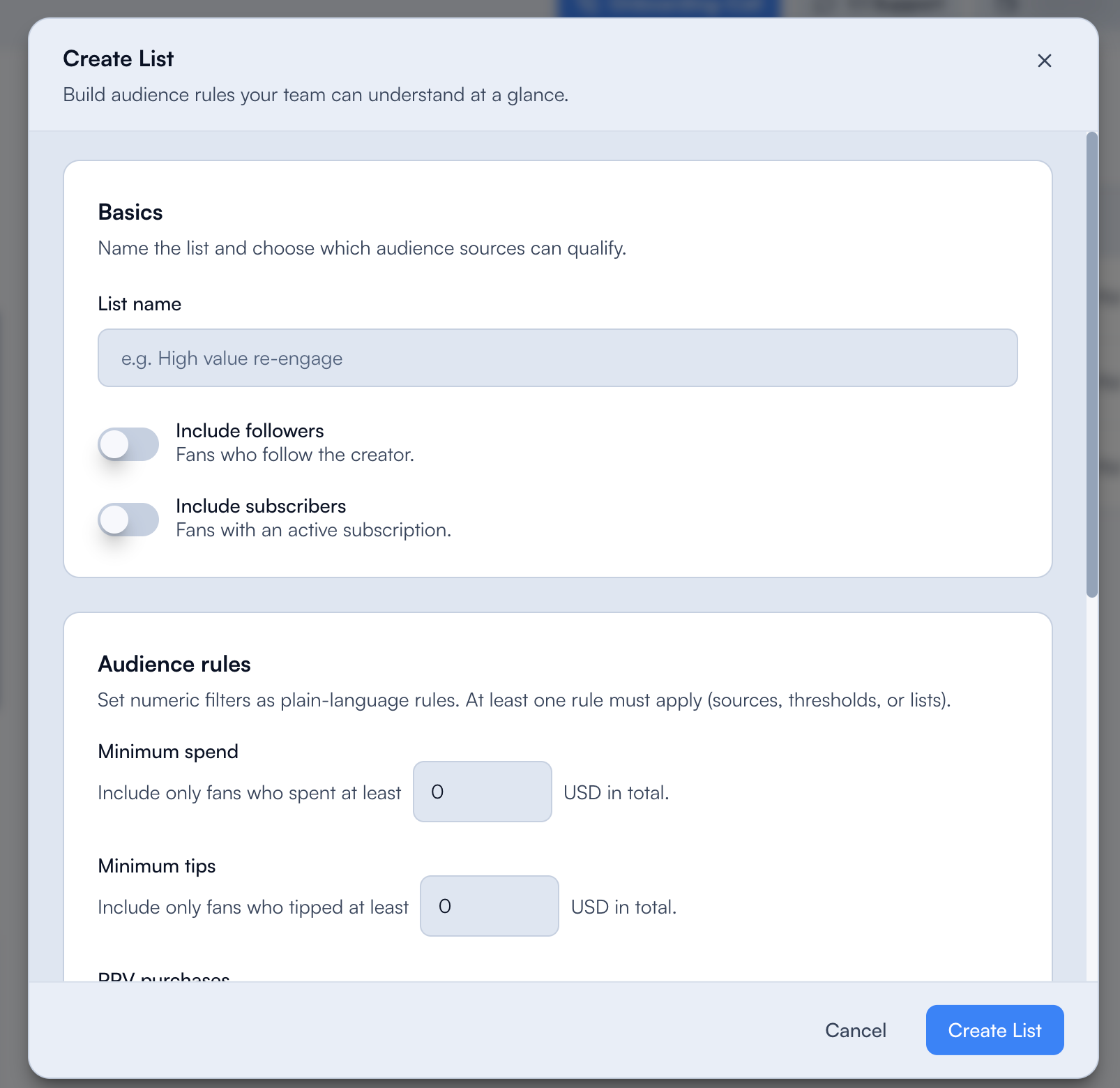
Under Included lists, optionally select existing Fansly lists to pull fans from. This lets you build Smart Lists on top of your existing segmentation.
Click Create List.
Status and sync
Smart Lists update automatically. Each list shows its current state:
Managing Smart Lists
Each Smart List has an actions menu with these options:
Example use cases
Top spenders: Minimum amount spent $500, include subscribers only.
Active tippers: Minimum tips $50, replied in last 30 days.
Engaged PPV buyers: Minimum PPV bought 3, replied in last 14 days.
Combine these lists with Online Message Campaigns or Mass Messages to make sure the right content reaches the right audience.
Was this helpful?
Still need help? Ask the team