Welcome Campaign Statistics
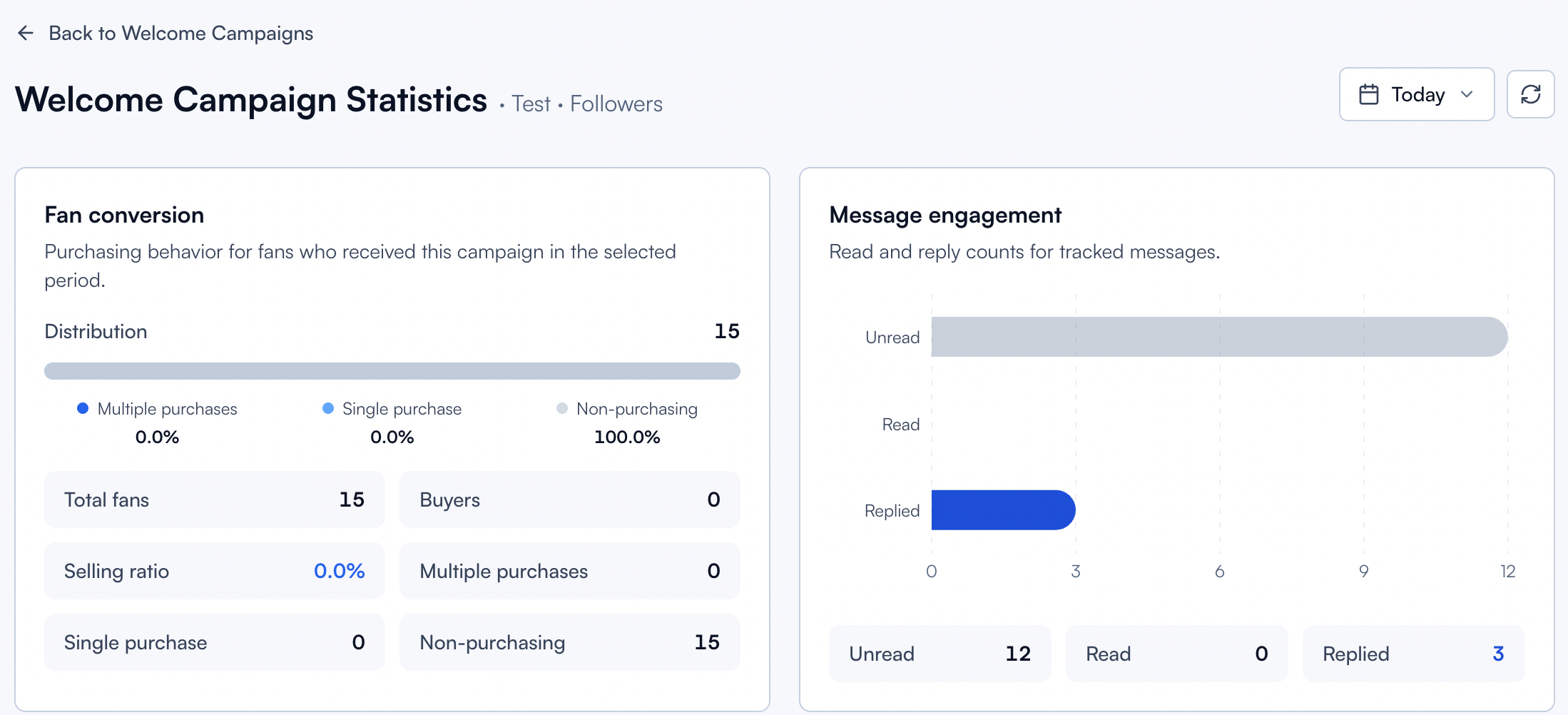
Welcome Campaign Statistics shows you exactly how a single campaign is performing over a selected period. From how many fans opened the message to who bought what, this is where you verify what's working and spot where your campaign can be improved.
Written By Chatseeker
Last updated 6 months ago
Combined with A/B testing across multiple campaigns, this view helps you find your highest-converting welcome flow and scale it.
Opening the statistics
Open Welcome Campaigns.
On the campaign row, open the actions menu.
Click View Statistics.
Metrics explained
The statistics page is organized into three sections: fan conversion, message engagement, and best fans.
Fan conversion behavior
This section breaks down how fans converted after entering the campaign.
Selling ratio is your key conversion metric. A high ratio means your welcome flow is doing its job. A low ratio means it's time to test a different opening line, delay, or follow-up.
Message engagement stages
This section summarizes how fans moved through the message funnel.
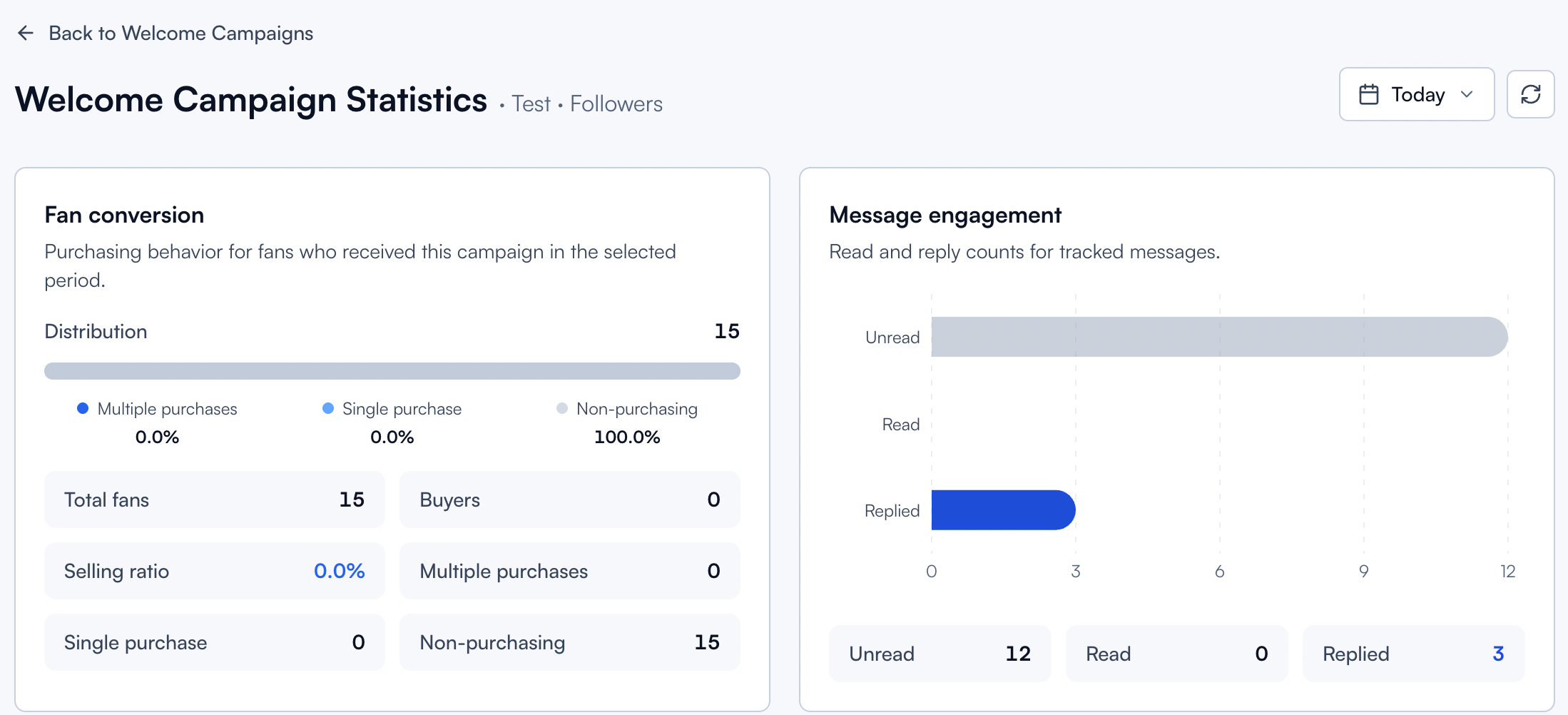
Compare these numbers to spot where fans drop off. If most messages are Read but few are Replied, the message likely doesn't invite a response. If many stay Unread, timing or delivery windows may be the issue.
Best Fans
Best Fans highlights the top performers of the campaign within the selected period:
This helps you identify the fans who respond best to your welcome flow, so your team can follow up with the right attention at the right time.
Notes
Use the same date range across metrics pages when comparing results between campaigns.
For campaign setup and message configuration, see Welcome Campaigns.
Was this helpful?
Still need help? Ask the team