Fansly Metrics
Fansly Metrics gives you a complete view of how your creator is performing. Revenue, fan growth, top buyers, when money comes in, when fans are active, and how each day stacks up against the next. It's your creator-level command center for understanding performance and spotting opportunities.
Written By Chatseeker
Last updated 6 months ago
Using Fansly Metrics
Open Fansly Metrics.
Select a date range using the date range picker.
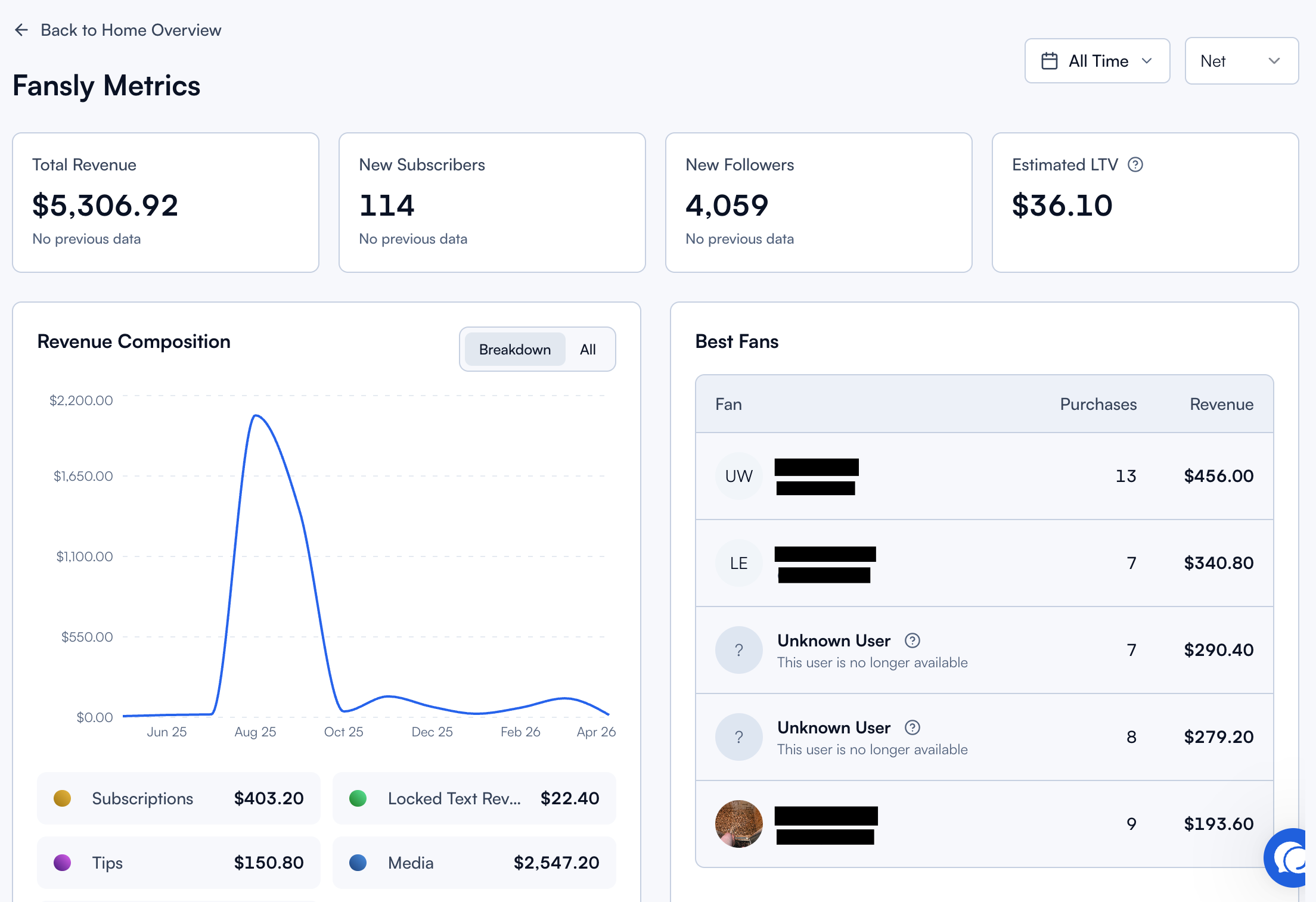
Review the top-level cards for a quick snapshot.
Dig deeper into Revenue Composition, Best Fans, heatmaps, and Daily Statistics.
Top cards
The top of the page shows four headline numbers for the selected range.
Note: Estimated LTV represents the creator's overall lifetime value, not just the selected date range.
Revenue Composition
Breaks down where your revenue actually comes from. Use the toggle to switch between views:
Breakdown: see revenue by category (subscriptions, PPVs, tips, etc.) to understand which streams drive the most income.
All: see the total combined in one view.
Use this to spot imbalances. If one revenue source dominates, diversification might be an opportunity. If PPVs underperform, your chatting strategy may need attention.
Best Fans
The Best Fans section highlights your top buyers by purchases and revenue for the selected period. These are the fans worth investing extra attention in, whether through exclusive content, personal messages, or priority responses from your team.
Heatmaps
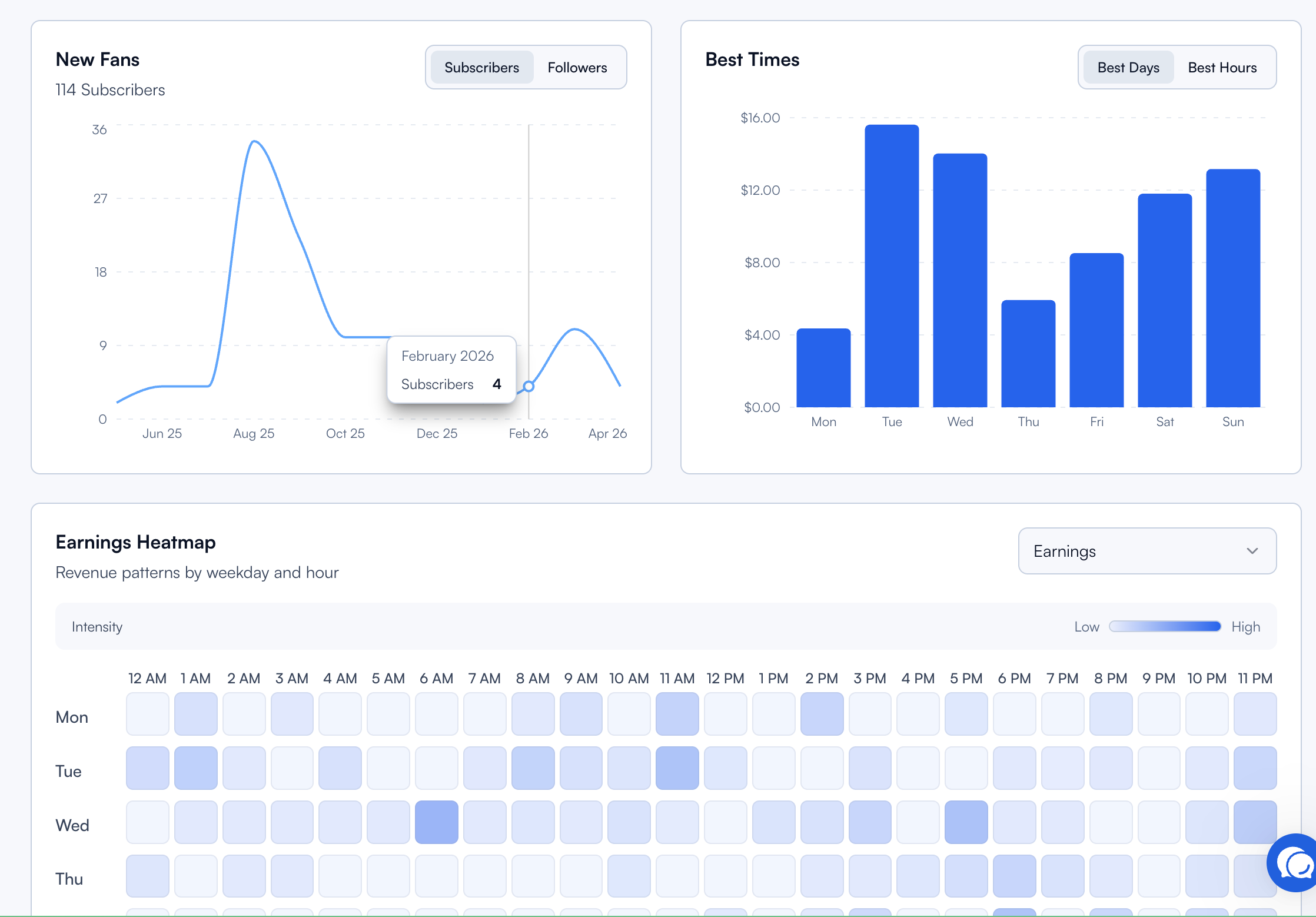
Heatmaps show you when things happen. Perfect for timing campaigns, shifts, and Mass Messages.
Use the Earnings Heatmap to find your most profitable hours and align your team schedule or Online Message Campaigns to match. Use the Online Activity Heatmap to understand when your fanbase is most reachable.
Daily Statistics
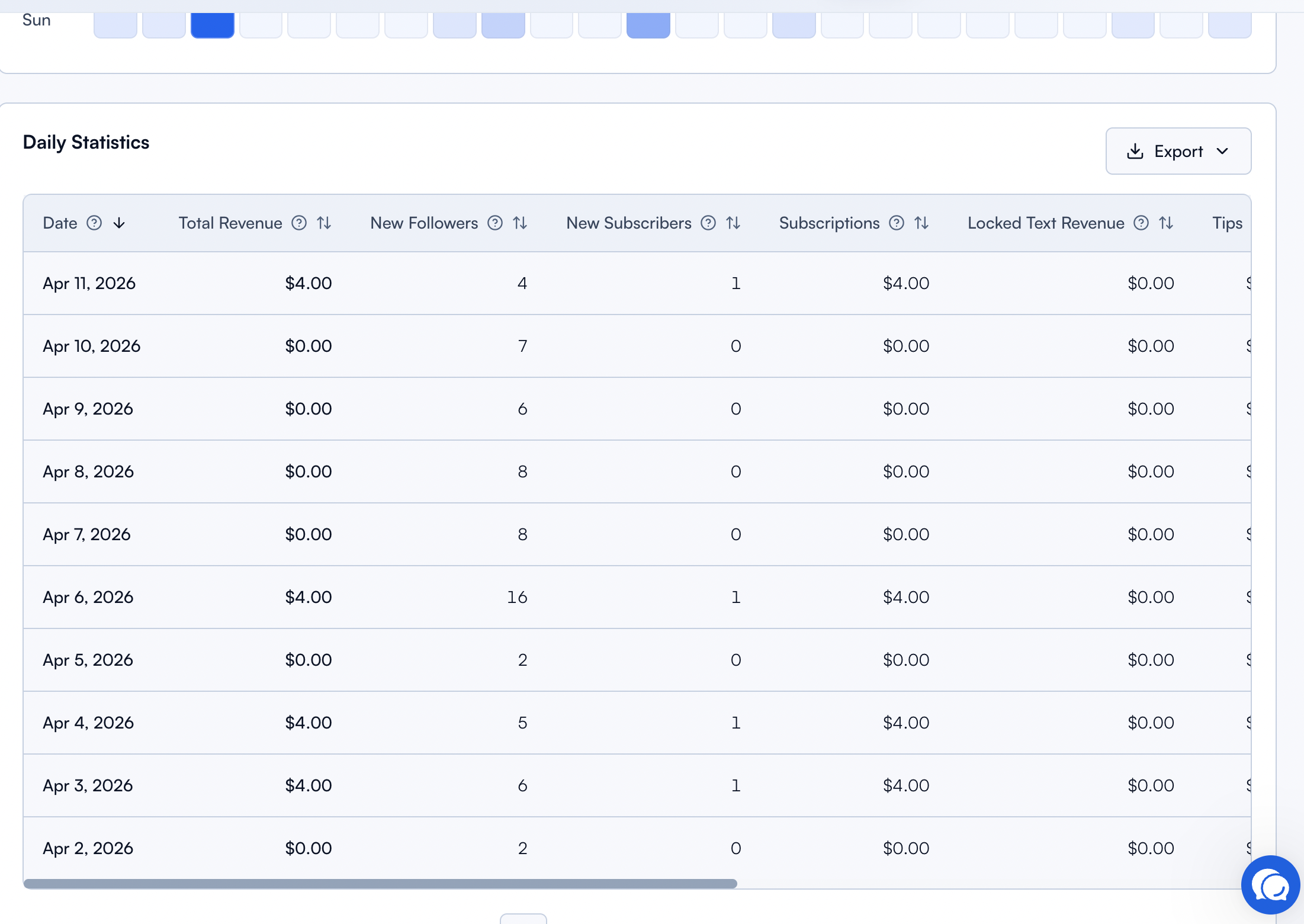
Daily Statistics gives you a day-by-day breakdown so you can compare performance across the week or month and spot patterns.
One key metric here is the Texting Ratio. It's a daily indicator that compares chat output to sales results, making it easy to see whether more messages are actually translating into more revenue, without any technical formulas.
Was this helpful?
Still need help? Ask the team