Vault and Vault labeling
The Vault is your creator's media library, fully integrated into Chatseeker. Your team can browse, preview, and attach media to chats directly from the dashboard without switching tools or digging through a messy gallery.
Written By Chatseeker
Last updated 6 months ago
To keep things clean at scale, Chatseeker automatically labels media so chatters know exactly which content has already been used. No more accidentally sending the same video twice, no more double-charging a fan for content they've already received.
Attaching media from the Vault
Open Chats and select a conversation.
In the composer, click Add Media from Vault.
In Select media from Vault, browse and select the items you want to send.
Click Add selected.
Vault labels
Chatseeker adds a label to each media item to show how it has already been used:
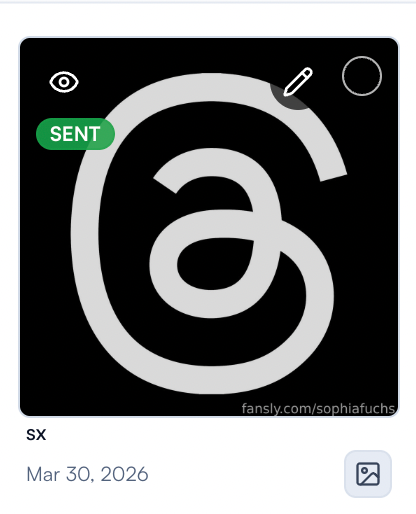
If you see either label, treat it as a warning. Review the item before using it again to avoid resending content a fan has already seen or paid for.
NSFW protection in Vault
When NSFW mode is enabled, some Vault interactions may be restricted. For example, you might see a message like "NSFW mode enabled – video cannot be opened." Toggle NSFW mode off from the top bar if you need full access.
Notes
Always confirm you've selected the correct item and preview before sending.
The POSTED and SENT labels are signals, not hard blocks. Use them to make informed decisions about reuse.
Was this helpful?
Still need help? Ask the team